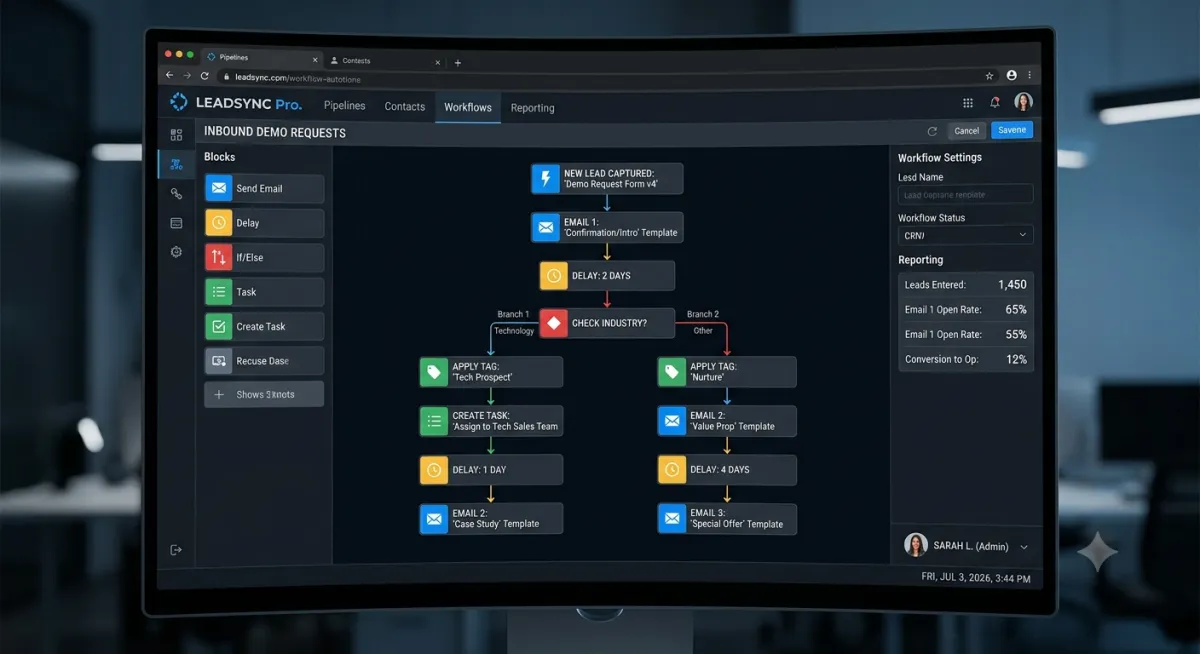
What Does a Real Estate CRM Look Like When It Actually Works?
Most agents do not have a CRM problem. They have a contact list wearing a CRM's name tag.
The short answer: A real estate CRM is working when it tells you who to call today and why, without you having to remember anything on your own. It captures every lead with context, separates the buyer who is ready now from the one who is a year out, and keeps both moving toward a closing instead of drifting away.
This post is for the agent who bought the CRM, imported 400 contacts, and still runs the business from memory and a legal pad. The software was never the problem. The problem is the difference between storing names and running a system, and that difference is the whole subject here. Bennin Systems builds these systems from Paradise Valley, Montana, and this is what a working one looks like from the inside.
What is the difference between a contact list and a CRM that works?
A contact list stores names and waits for you to remember them. A working CRM watches your pipeline and tells you what happens next: who raised a hand yesterday, who went quiet, whose timeline just came due. The difference is not the features on the box. It is whether the system carries the remembering, or you do.
Most agents already own the software. In NAR's 2025 REALTORS Technology Survey, conducted in July 2025, CRM ranked second among the tools members said produce the highest quality leads, named by 23% of respondents, behind only social media at 39%. The industry knows the category matters. Walk into most offices, though, and the CRM is an address book with a monthly bill. Contacts sit in it. Deals happen around it. The actual pipeline lives in the agent's head.
The test is simple. If your CRM disappeared tonight and tomorrow's work would not change, you do not have a CRM. You have a list.
What should a working CRM tell you every morning?
Who to call today, and why. Not 400 contacts in alphabetical order, but a short list with reasons attached: the lead who came in overnight with a price range and timeline already captured, the buyer whose nurture email drew a reply at 9 p.m., the past client whose first anniversary in the house lands this week. Names with context, so every call starts warm.
The "why" is the part most setups miss. A reminder that says "follow up with Jennifer" is barely better than no reminder, because the first ten minutes of your day go to reconstructing who Jennifer is and what she wanted. A working system hands you the reason next to the name. She asked about irrigation on the Shields Valley listing. She said her lease ends in August. She opened the pricing email twice yesterday.
That context problem is its own subject, and it is why a fast callback with nothing behind it still falls flat. The longer version of that argument is in why leads go cold before you can call them back. The short version: a callback without context starts half cold no matter how quick it was.
One more thing the morning list should not require: an hour of data entry the night before. If the list only exists when you feed the machine by hand, you will stop feeding it. More on that below.
Why does the ready-now buyer need a different track than the year-out buyer?
Because treating them alike loses both. The ready buyer is racing a clock measured in minutes. The year-out buyer is running one measured in months. A single rushed callback serves neither: too slow for the first, too thin to matter to the second. A working CRM runs both clocks at once and knows which lead is on which.
The minutes clock is unforgiving. A 2007 MIT lead-response study of more than 15,000 web leads found the odds of reaching a lead drop about 100 times between a five-minute response and a thirty-minute one, and the odds of qualifying that lead drop 21 times. A Harvard Business Review audit published in 2011 tested 2,241 U.S. companies with live web leads: only 37% responded within an hour, and 23% never responded at all. Those studies are older, and the behavior they measured has only gotten worse for the slow responder, because buyers now expect an answer in minutes. Every lead that slips through that gap is money already spent. The math on what that silence costs is in how much missed follow-ups cost every month.
The months clock pays differently but pays more. In NAR's 2025 Member Profile, the typical Realtor earned 20% of business from repeat clients and another 21% from referrals. Among agents with 16 or more years in the business, 40% said repeat clients made up more than half their business. That is not luck. That is years of staying in touch, and almost nobody sustains it on memory alone.
Here is why the patient track is worth building: the buyer you nurture for a year rarely shops around when the timing turns. Per NAR's 2025 Profile of Home Buyers and Sellers, 67% of first-time buyers and 76% of repeat buyers interviewed exactly one agent. The agent already in the conversation gets the business, usually uncontested. A working CRM is how you become that agent for dozens of not-ready buyers at once.
Why do most real estate CRMs turn back into contact lists?
Because they depend on the agent to feed them. Statuses updated by hand after every call. Notes typed in at 9 p.m. Follow-ups scheduled one at a time. The system that was supposed to carry the remembering becomes one more thing to remember, and after a few busy weeks it quietly goes stale. Nobody decides to abandon it. The busy weeks just win.
This is the same failure pattern that shows up when a business outgrows its spreadsheets: the record-keeping works exactly as long as the busiest person in the company keeps doing unpaid clerical work every night. A CRM installed without a capture system is a more expensive spreadsheet.
The fix is not discipline. The fix is capture at the moment of interest. When someone raises a hand, a short qualifier asks what they are looking for, what range, and how soon, while they are still engaged enough to answer. The lead enters the pipeline already sorted, with context attached, and nobody re-keys anything. The ready buyer triggers an immediate alert. The year-out buyer lands in a nurture track built for the long clock. The agent's job starts at the conversation, not at the data entry.
Getting that right is a design problem, not a software purchase. Which platform matters far less than whether someone mapped your actual lead flow before configuring anything.
What does this look like in a real build?
One system Bennin Systems runs for a southwest Montana real estate office works like this. A buyer who inquires answers a short qualifier: what they are looking for, their price range, their timeline. The lead lands in the pipeline already sorted by readiness. A ready-now buyer fires an immediate alert to the agent with the full context attached, so the first call opens with what the buyer already said instead of "so, what can I help you with?" Everyone else enters an automatic follow-up track matched to their timeline, and every reply, call, and appointment logs itself to the contact without anyone typing up notes afterward.
The agent's morning starts with a short list: who to call, why, and what was already said. Nothing on that list depends on the agent having remembered anything.
The honest caveats. A system like this does not run on autopilot from day one; the first weeks involve real decisions about what counts as ready, what the follow-up should say, and where a human needs to step in, and those rules need occasional adjustment as the market shifts. It will not make a poor-fit lead into a buyer, and it should not try. And it does not replace judgment. It queues the right conversation; the agent still has to be good at it. What it removes is the remembering, which was never the part of the job you were best at anyway.
Contact list or working CRM: a side-by-side
| The moment | With a contact list | With a working CRM |
|---|---|---|
| A new lead comes in | A name and number sit in the inbox until you get to them | The lead arrives sorted, with budget, timeline, and intent attached |
| You get slammed for two weeks | Follow-ups happen if you remember them | Follow-ups fire on schedule; nothing depends on memory |
| A buyer says "maybe next spring" | The note dies in a spreadsheet or your head | The buyer enters a long nurture track and resurfaces when timing turns |
| A lead goes quiet | Silence reads as "not interested" and the lead gets dropped | The system flags who went quiet and prompts the next touch |
| You take a week off | The pipeline stops moving | The pipeline keeps moving; you come back to a short call list |
The bottom line
A real estate CRM is working when it does the remembering. It captures every lead with context at the moment of interest, reaches the ready buyer while the minutes clock is still running, keeps the year-out buyer warm across the months clock, and starts your morning with a short list of who to call and why. If it cannot do that without you feeding it by hand every night, it is a contact list, and the pipeline still lives in your head, which means the business still runs on the one resource that does not scale: your memory.
Next steps
Open your CRM tomorrow morning and ask it one question: who should I call today, and why? If the answer takes more than a minute to find, or the "why" is missing, you have found the gap, and it is a system gap, not an effort gap.
From there, two paths. You can start yourself: add a short qualifier to your busiest lead source so context arrives with every lead, then set up one automatic follow-up track for the buyers who are not ready yet. Or, if you would rather have the capture, the sorting, and the follow-up designed and built as one system you own, that is the work Bennin Systems does for real estate professionals and small businesses in Montana and beyond. Either way, the goal is the same: a pipeline that runs on a system instead of your memory, so you can work on your business instead of carrying it around in your head.
Frequently asked questions
What makes a real estate CRM different from a contact database?
A contact database stores information and waits to be searched. A CRM, when it works, acts on that information: it sorts leads by readiness, schedules and sends follow-ups, flags who went quiet, and tells the agent who to call today and why. If the software only holds names, it is a database regardless of what the label says.
Does a solo agent actually need a CRM, or is that for teams?
A solo agent arguably needs one more, because there is no assistant catching what falls through. For an office of one, the CRM is the second employee: it answers fast, remembers everything, and follows up on schedule. The systems that matter are the same ones teams use, just sized to one person's lead flow.
What should happen the moment a new lead comes in?
The lead should be captured with context, not just a name and number. A short qualifier gathers what they want, their range, and their timeline while interest is highest. Ready buyers trigger an immediate alert to the agent with that context attached. Everyone else enters an automatic follow-up track. None of this should require manual entry.
How should a CRM handle a buyer who is a year away from buying?
With patience built into the system: a long nurture track of useful, relevant touches that keeps the relationship warm for months without the agent tracking it by hand. Most buyers interview only one agent, so the agent still in the conversation when timing turns usually wins the business without competition.
Why do so many agents abandon their CRM after a few months?
Because most setups depend on manual feeding: statuses updated by hand, notes typed after every call, follow-ups scheduled one at a time. The tool becomes clerical work, and busy weeks win. Systems survive when capture and logging happen automatically at the moment of interest, so the CRM stays current without the agent doing data entry.
Can my existing CRM be set up to work this way?
Usually, yes. Most platforms agents already pay for have far more capability than the default setup uses. The gap is rarely the software; it is that nobody mapped the lead flow, built the qualifier, or designed the follow-up tracks. Auditing what you already own is the right first step before buying anything new.
Does a system like this replace the agent's judgment?
No, and it should not try. The system handles capture, sorting, reminders, and routine follow-up, which is the work that suffers most from a busy week. Reading a buyer, negotiating, advising on price, and knowing when to pick up the phone instead of sending another email stay human. The system queues the conversation; the agent carries it.
How do I know if my current CRM is actually working?
Ask it who you should call today and why. A working system answers in under a minute with names and reasons. Then check what happens when you get busy: if follow-ups stop when you stop, the system is decorative. A CRM is working when the pipeline moves during the weeks you are slammed.
Bennin Systems, Paradise Valley, Montana. (406) 224-3267. benninsystems.com
Stacy Bennin is the founder of Bennin Systems, where she builds the automated systems small businesses need but rarely have time to set up themselves: lead capture and follow-up that runs on its own, chatbots that answer questions and take orders around the clock, custom websites that act as an employee, and the back-office workflows that keep an operation from running on memory and sticky notes. Located in Montana, she works with businesses and real estate professionals anywhere in the United States. She is also a licensed Montana real estate broker affiliated with Legacy Lands Real Estate. Reach her at benninsystems.com.
